

See your Sval Card
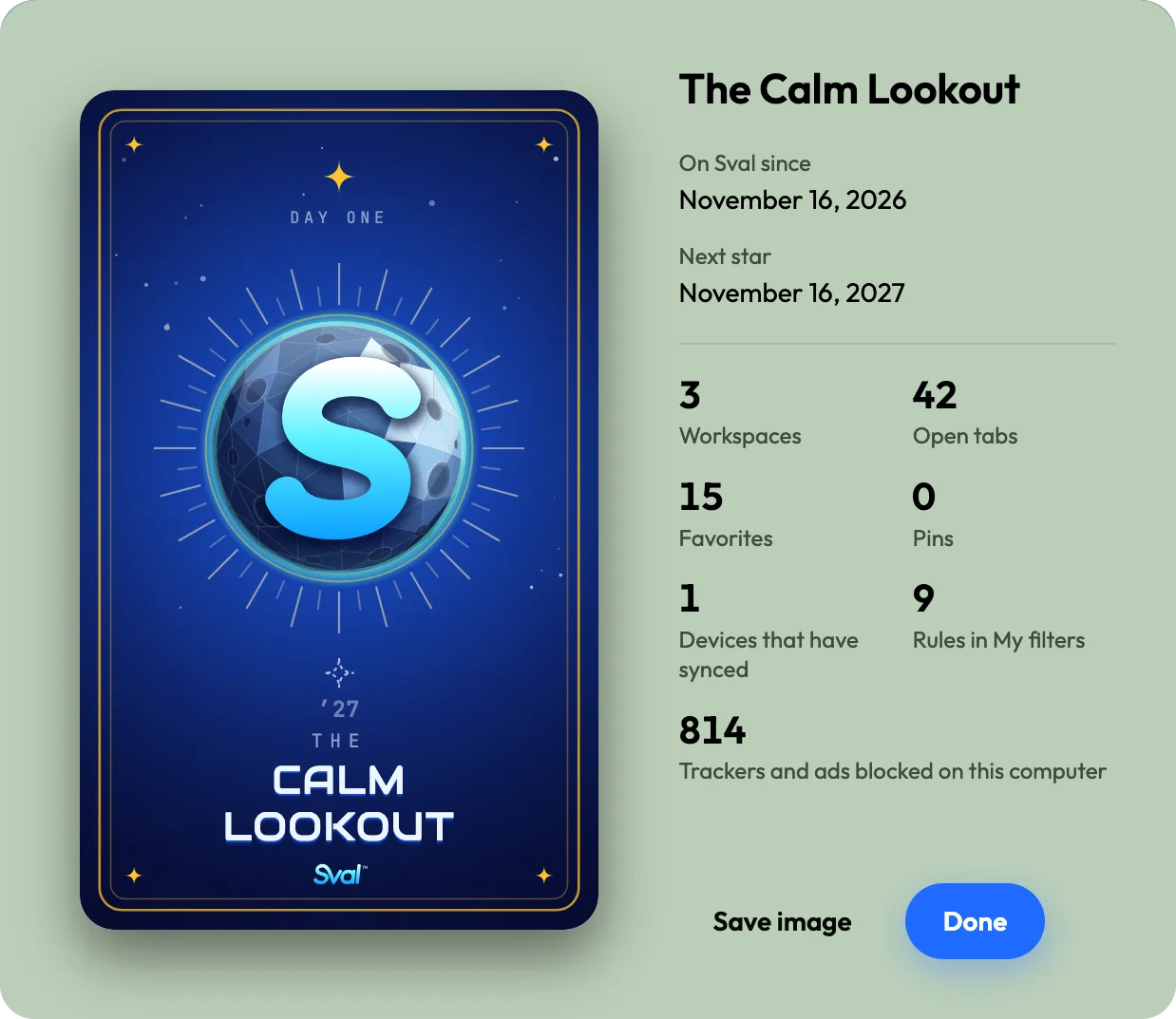
Your Sval Card has a title and a star for every year you’ve browsed with Sval. If you used Arc and Arc gave you a card, your Sval Card carries that card’s title and years across.
You’ve used Sval for a while and want to see how many Workspaces and pins you’ve built up.
- In the menu bar, choose View › Your Sval Card.
You can also select Your Sval Card at the bottom of the Settings sidebar, or select your card in About Sval.
Save a copy
Section titled “Save a copy”- Open your card.
- Select Save image.
Sval saves your card as a PNG in your downloads folder.
Details
Section titled “Details”- The card shows the day you started with Sval and the date of your next star.
- Next to your card, Sval counts what you’ve built up, from your Workspaces and open tabs to your Favorites, pins, and rules in My filters. Sval also counts the devices that have synced and the trackers and ads Sval has blocked on this computer.
- Your card is the same on every device you sync.
- When you import from Arc and Arc gave you a card, your card keeps the title Arc gave you. The stars for your Arc years come first, each in your Arc card’s shape. Sval mentions Arc on your card only when you have an Arc card.
Related pages
Section titled “Related pages”© 2026 Ellm Tree, Inc. Sval is not officially associated with Mozilla or its products. Firefox is a trademark of the Mozilla Foundation in the US and other countries.